
Let’s cover why you need Apple Car Play or Android Auto. As our smartphones have become more and more sophisticated their capabilities have expanded.
This one, pocket-size device can communicate, inform and entertain us like never before. It is only natural that we would want to harness this power when we are in our cars. After all, our car can be our own space where we can play our music as we want, and with streaming libraries, there is no limit to the choice of entertainment.
We have had Bluetooth streaming for a long time, and for years, this (or the dreadful AUX cable) was the only way to connect our smartphone to the car.
Unfortunately, this meant that most access controls were on the phone itself and picking up this device while driving was distracting and now, quite rightly, illegal.
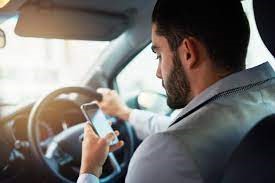
Using a mobile device while driving is incredibly distracting and poses a danger to the driver and all around them. Penalties, if caught, include 6 points and a big fine or even loss of license.
The Solution: Apple Car Play or Android Auto
In more recent vehicles we now have Apple Car Play and Android Auto. These apps are designed to present the power of our smartphones on the vehicle screen.
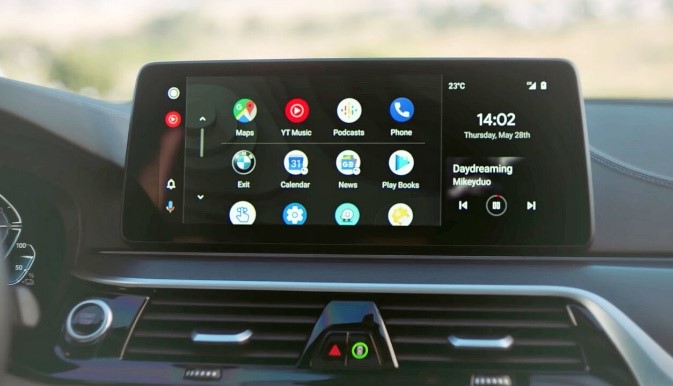
Using Siri or Google Assist you can even operate the system with your voice, for not just hands-free but true eyes-free control. This can be to ask for directions, play a particular song, reply to a message or call a person or number. All this can be done without taking your hands off the wheel or your eyes off the road; much safer.
But what if your car does not have Apple Car Play or Android Auto? The majority of cars have had a large display screen for years now but only recently have Car Play and Android Auto been included.
It is also true that many cars can not have a replacement head unit as the dash is fully integrated. You also may not want to change the screen as it will alter the look of the car; well, we have a perfect solution.
Porsche Macan

This car is equipped with the PCM3.1 head unit.
This integrates with the vehicle and Chrono functions so it is not ideal to swap. As this is an all-in-one unit, adding Car Play / AA necessitates removing the head unit.
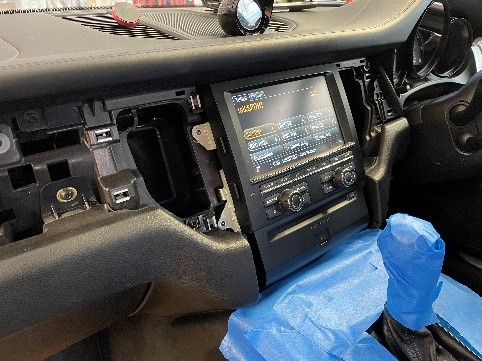
Great care is taken to protect all surfaces from damage.
Once out I can install the Car Play / AA circuit board. This requires great care as the screen has to be removed and anti-static measures observed.
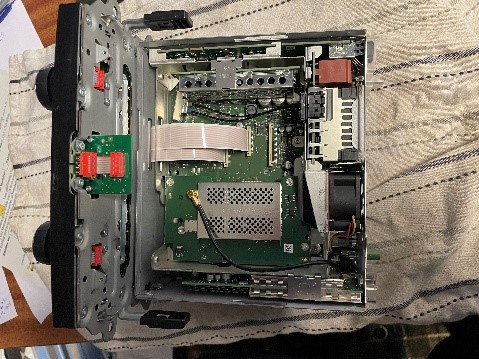
There is a hide-away module to be located behind the head unit before everything can go back. I make sure everything is wrapped in cloth tape to ensure there are no rattles in the dash.
Once installed and paired the Car Play links wirelessly. All the original PCM functions remain for a seamless operation.
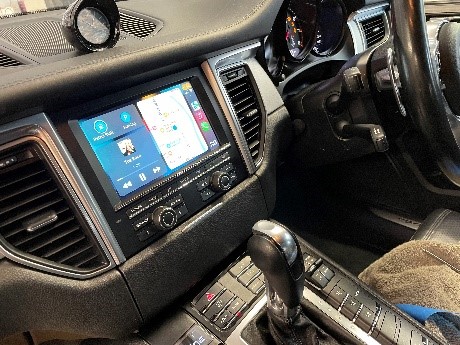
I can retrofit Car Play / AA to PCM3 and PCM3.1 and have done this on 997, 991, Cayman, Macan and Cayenne.
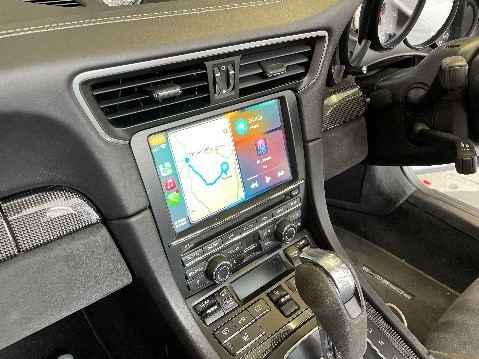
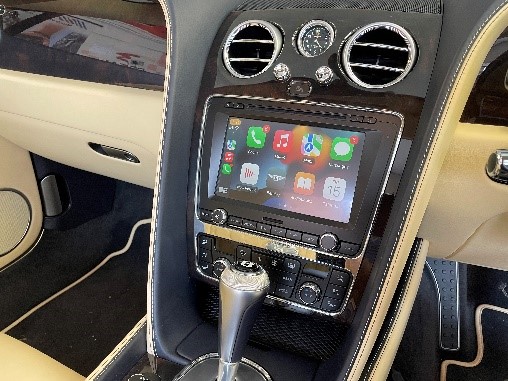
Bentley Continental GT
Adding Car Play / AA to this car is similar to the Porsche. As the factory head unit must be removed and stripped down.
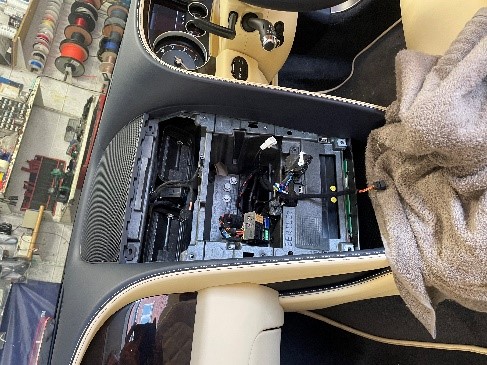
Again, once installed the Car Play works seamlessly with the Bentley systems.
Other marques covered are BMW, Audi, VW, Lamborghini, Mercedes, Range Rover and Mini among others.
Would you like to know more about how we could update your car with Apple Car Play or Android Auto? Give me a call at 01625 432707 or fill in our contact form.
Also, follow my Facebook and Instagram pages to keep up-to-date on my other projects.

Hi, I’m looking for a portable touch screen for my 2000 mustang.
I’ve seen many on the internet but not sure if they are quality items.
My mustang has only got a simple stereo, cd player and the old dreaded cassette player.
Have you got anything that you could help me with. I want to pair it up with my apple iPhone to make calls.
Thank you
Hiya there I have a Mini Cooper r56 2009 I want to install a apple car play can u be able to do so and where would it go
Hi Sam, sorry for the delay in response. Can you please email me on sales@carhomestereo.co.uk? Thanks, Tim